

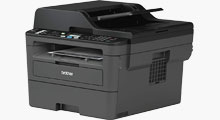
What ink or toner does my Brother MFC printer use?
It depends on the letter after "MFC." MFC-J models are inkjet printers and use ink cartridges. For example, the MFC-J4335DW and MFC-J6555DW use LC406 ink. MFC-L models are laser printers and use a toner cartridge plus a separate drum unit. For example, the MFC-L2900DW uses TN830 toner. Your model number is printed on the front or top of the printer. Find it in the table below, or type it into the "Select Your Printer Model" search above.
Popular Brother MFC cartridges and the printers they fit
| Cartridge | Type | Popular MFC models | Approx. page yield | Drum unit |
|---|---|---|---|---|
| TN830 / TN830XL | Mono laser toner | MFC-L2900DW, MFC-L2820DW, MFC-L2760DW | Standard: 1,200 XL: 3,000 |
DR830: 15,000 |
| TN920 / TN920XL | Mono laser toner | MFC-L5710DW, MFC-L5915DW, MFC-L6915DW | Standard: 3,000 XL: 6,000 |
DR920: 45,000 |
| TN229 / TN229XL / TN229XXL | Color laser toner | MFC-L3720CDW, MFC-L3780CDW, MFC-L8395CDW | Standard: 1,500 black, 1,200 color XL: 3,000 black, 2,300 color XXL: 4,500 black, 4,000 color |
DR229CL |
| TN635 / TN635XL | Color laser toner | MFC-L8730CDW, MFC-L8930CDW, MFC-EX575 | Standard: 3,000 black, 1,800 color XL: 5,500 black, 4,500 color |
See model page |
| LC406 / LC406XL | Inkjet | MFC-J4335DW, MFC-J6555DW | Standard: 3,000 black, 1,500 color XL: 5,500 black, 3,000 color |
None |
| LC506 / LC506XL | Inkjet | MFC-J6560DW, MFC-J6960DW, MFC-J4355DW | Standard: 1,000 black, 900 color XL: 2,500 black, 1,500 color |
None |
| LC401 (high yield) | Inkjet | MFC-J1010DW, MFC-J1170DW, MFC-J1800DW | High yield: 500 per cartridge | None |
| LC501 / LC501XL | Inkjet | MFC-J1260DW, MFC-J1360DW, MFC-J1410DW | Standard: 250 black, 200 color XL: 500 black, 500 color |
None |
Don't see your model? Type your model number into the "Select Your Printer Model" search above. We carry cartridges for hundreds of current and older Brother MFC printers.
MFC-J vs. MFC-L: what the letters mean
MFC-J printers are inkjet all-in-ones that print, scan, copy and often fax. They use separate black, cyan, magenta and yellow ink cartridges, so you replace only the color that runs out. They are a good fit for color documents and photos.
MFC-L printers are laser all-in-ones. Many are black-and-white (monochrome), and models with "CDW" in the name print in color. Laser printers use powdered toner instead of liquid ink. They print text quickly and usually cost less per page when you print a lot of documents.
Standard vs. high-yield cartridges
Most Brother cartridges come in more than one size. The high-yield version fits the same printer but prints more pages. For example, a TN830XL prints about 3,000 pages compared with about 1,200 for the standard TN830. If you print regularly, high-yield cartridges usually cost less per page and mean fewer replacements. Learn more about standard vs. high-yield cartridges.
Toner vs. drum: do I need both?
Brother laser printers use two separate supplies. The toner cartridge holds the powder that forms the image, and the drum unit transfers it to the paper. The drum lasts much longer. A DR830 drum, for example, is rated for about 15,000 pages, which is roughly five TN830XL toner cartridges. Your printer's display will tell you which part needs replacing, with messages like "Replace Toner" or "Replace Drum." After installing a new drum, reset the drum counter from the printer's menu. The exact steps vary by model, so check your printer's on-screen instructions or user guide. Read more about when drum units need replacing.
Frequently asked questions
Will compatible cartridges work in my Brother MFC printer?
Yes. Each 1ink.com cartridge is tested to work with the printer models listed on its product page and is covered by our 180-day warranty. If a cartridge doesn't work, contact us and we'll make it right.
Will using compatible ink or toner void my Brother warranty?
Generally no. In the U.S., the Magnuson-Moss Warranty Act prevents manufacturers from voiding a printer warranty simply because you used another brand of supplies. Damage caused directly by a cartridge may not be covered by the printer maker, which is one reason we test every cartridge we sell.
My printer doesn't recognize the new cartridge. What should I do?
First, remove the cartridge and make sure all tape and protective covers are off. Then reinstall it firmly until it clicks into place. Check that the cartridge number matches the one your model uses. If the message continues, call our support team at 818-534-2660 (Monday through Friday, 7am to 5pm Pacific) and we'll help.
How do I find my printer's model number?
The model number, such as MFC-L2900DW, is printed on the front panel or top of the printer. It is also on a label on the back or bottom.
Why buy Brother MFC cartridges from 1ink.com
1ink.com is a U.S.-based company that has sold compatible and remanufactured ink and toner since 2000. Our Brother cartridges cost up to 80% less than original Brother supplies, are tested for your printer, and are backed by a 180-day warranty.
Last updated: October 2026