

HP Ink Cartridges and Toner Cartridges at Discount Prices
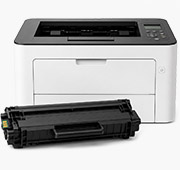
Shop by HP Printer Series
Smart Tank
AMP
Color Copier
Color LaserJet
DesignJet
DeskJet
DeskWriter
Digital Copier
ENVY
Fax
LaserJet Enterprise
LaserJet
LaserJet Pro
OfficeJet Enterprise Color
OfficeJet
OfficeJet Pro
PageWide
PhotoSmart
PSC
2000 - 2500 Professional
Addmaster
Apollo
Business Inkjet
CP
1ink.com sells remanufactured and compatible ink and toner cartridges for HP printers, including DeskJet, ENVY, OfficeJet, OfficeJet Pro, LaserJet and Color LaserJet. We don't sell Original HP cartridges. Every cartridge comes with a 180-day warranty, and orders over $65 ship free within the lower 48 states.
Remanufactured cartridges are used Original HP cartridges that have been cleaned and refilled. Compatible cartridges are new cartridges made by a third party to fit HP printers. Both cost less than Original HP, and each product title tells you which type it is.
How to find the right HP cartridge
- Know the cartridge number? Use the Shop by Cartridge Number menu at the top of this page, or type the number (for example 67XL, 952XL or 206X) into the search bar.
- Know the printer model? Choose your printer series above, then your model. You'll only see cartridges that fit that printer.
- Not sure of either? The cartridge number is printed on the label of the cartridge you're replacing. The printer model, such as OfficeJet Pro 9015e or LaserJet Pro M402dn, is on the front of the printer.
The letters after the number tell you the size. For HP ink, XL is high yield and XXL is extra high yield. Both fit the same printers as the standard cartridge but print more pages. For HP toner, A is standard yield and X is high yield. The page yield for each cartridge is listed on its product page.
Which HP cartridge fits my printer?
HP ink cartridges
- HP 67XL and 67XXL: DeskJet 2700, 2800, 4100 and 4200 series, ENVY 6000 and 6400 series
- HP 63XL: DeskJet 1110, 2130 and 3630, ENVY 4520, OfficeJet 3830 and 4650
- HP 65XL: DeskJet 2600 and 3700 series, ENVY 5000 series, HP AMP
- HP 64XL: ENVY Photo 6200, 7100 and 7800 series
- HP 62XL: ENVY 5540, 5640 and 7640, OfficeJet 5740
- HP 61XL: DeskJet 1000, 1050, 2540 and 3050, ENVY 4500 and 5530, OfficeJet 4630
- HP 60XL: DeskJet D1600 and D2500 series and other older DeskJet models
- HP 564XL: Photosmart 5510 and 6510 series, DeskJet 3520, OfficeJet 4620
- HP 902XL: OfficeJet 6950 and OfficeJet Pro 6960 and 6970 series
- HP 910XL: OfficeJet 8010 and 8020 series, OfficeJet Pro 8010, 8020 and 8030 series
- HP 950XL and 951XL: OfficeJet Pro 8100, 8600 and 8610 to 8630, OfficeJet Pro 251dw and 276dw
- HP 952XL: OfficeJet Pro 7720, 7740, 8210 and 8710 to 8740
- HP 962XL: OfficeJet Pro 9010, 9015, 9020 and 9025 series
HP LaserJet toner cartridges
- HP 26X (CF226X): LaserJet Pro M402 and MFP M426
- HP 410X (CF410X): Color LaserJet Pro M452 and MFP M377 and M477
- HP 414X (W2020X): Color LaserJet Pro M454 and MFP M479
- HP 206X (W2110X): Color LaserJet Pro M255 and MFP M282 and M283
- HP 202X (CF500X): Color LaserJet Pro M254 and MFP M281
- HP 215A (W2310A): Color LaserJet Pro M155 and MFP M182 and M183
- HP 131X (CF210X): LaserJet Pro 200 Color M251 and M276
- HP 85A (CE285A): LaserJet P1102, M1130 and M1210 series
- HP 78A (CE278A): LaserJet P1606 and M1536
Looking for newer LaserJet toner such as HP 138X or 148X? See our HP LaserJet toner guide.
HP+ and "e" printers: read this first
What is an "e" printer?
An "e" printer is an HP printer whose model number ends in "e", such as the DeskJet 2755e, OfficeJet Pro 9015e or LaserJet M209dwe. These printers come with HP+ and are built to stay connected to HP over Wi-Fi. Having an "e" printer doesn't mean HP+ is active. It depends on how the printer was set up.
What is HP+?
HP+ is an HP program that adds an extra year to HP's printer warranty. When HP+ is active, the printer must stay connected to the internet or it won't print, and HP blocks every cartridge except new Original HP cartridges, for the life of the printer. This includes remanufactured HP cartridges, even though they are genuine HP cartridges with the original HP chip.
Will 1ink.com cartridges work in my "e" printer?
- If HP+ is active: HP blocks all cartridges except new Original HP cartridges, so no remanufactured or compatible cartridge will work.
- If HP+ is not active: our remanufactured HP ink cartridges use the original HP chip and work in most HP printers, including "e" models.
- HP LaserJet "e" printers: for HP 134A, 134X, 138A, 138X and 141A toner, the cartridge that works depends on whether your printer is an "e" model. When you order these, we'll call you to confirm your printer model before we ship.
Not sure? Call us at (818) 534-2660, Monday to Friday, 7 AM to 5 PM Pacific, before you order.
Warranty and returns
- 180-day warranty on every cartridge.
- Defective cartridge: within 90 days, you can choose a refund, replacement, or store credit. From day 91 to 180, we offer a replacement or store credit.
- Unopened cartridges can be returned within 90 days.
- Please contact us for a Return Merchandise Authorization (RMA) number before shipping anything back.
- Shipping charges are not refunded unless we sent the wrong item.
Read our full Return Policy.
Frequently asked questions
Can I use a high-yield cartridge instead of the standard one?
For HP ink, yes. XL and XXL cartridges fit the same printers as the standard cartridge with the same number, and they print more pages. For HP toner, not always. Some smaller LaserJet printers can only fit the standard "A" cartridge. Choose your printer model on our site to see which cartridges fit.
Can I use a different cartridge number if it looks the same?
No. A cartridge may look the same and may even fit in your printer, but its chip won't work with the wrong printer. Your printer will show a message such as "incompatible cartridge" or "wrong cartridge." Use the number on your old cartridge, or choose your printer model on our site.
Will using 1ink.com cartridges void my HP printer warranty?
No. Under the Magnuson-Moss Warranty Act, a printer company can't void your warranty just because you use a non-original cartridge.
My printer doesn't recognize my new cartridge. What should I do?
First, take the cartridge out and put it back in firmly. If that doesn't work, turn off your printer, unplug it for 2–3 minutes, then plug it back in and turn it on. This fixes most problems. If your printer still doesn't recognize the cartridge, call us at (818) 534-2660, Monday to Friday, 7 AM to 5 PM Pacific.
Why does my printer show the ink level as low or unknown?
Some printers can't read the ink level on remanufactured cartridges, so they may show the level as low, empty, or unknown. This doesn't affect how the cartridge prints. Just keep printing and replace the cartridge when your prints start to fade.
My new cartridge prints blank or faint pages. What should I do?
Ink cartridges (DeskJet, ENVY, OfficeJet):
- Make sure all the protective tape is removed from the new cartridge.
- Take the cartridge out and put it back in until it clicks into place.
- Run the printhead cleaning from your printer's menu or the HP software. If the print is still faint, run it one more time.
Toner cartridges (LaserJet):
- Make sure the seal or pull tab is removed from the new cartridge.
- Take the cartridge out, gently shake it side to side to spread the toner, and put it back in.
- Make sure EconoMode, HP's toner-saving setting, is turned off. It makes prints lighter.
- On a Color LaserJet, if the colors look faint or wrong, run the color calibration from the printer's menu.
For all printers: check that the paper type in your print settings matches the paper in the printer.
If the pages are still blank or faint, call us at (818) 534-2660 before you send anything back.
How long can I store cartridges?
When stored properly, toner cartridges last up to 24 months and ink cartridges last up to 12 months. For best results, use them within 12 months.
How fast do HP cartridge orders ship?
Orders placed by 12 PM Pacific, Monday to Friday, usually ship the same day. Delivery typically takes 2–5 business days. Shipping is free on orders over $65 within the lower 48 states, and $5.95 for smaller orders.