

By the 1ink.com team. Updated October 28, 2026. 6-min read.
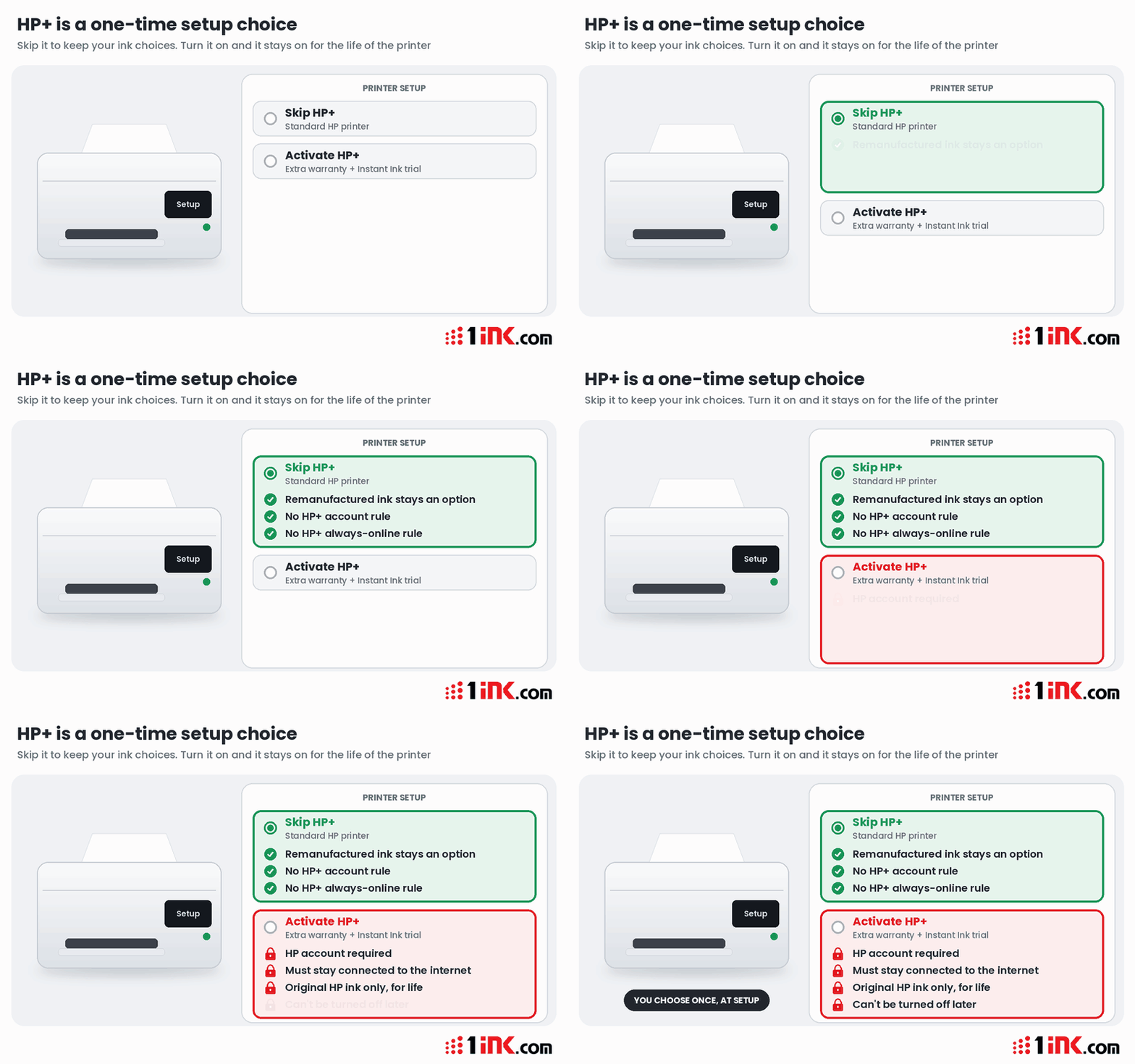
Quick answer: HP+ is a setup option on some HP printers, usually models ending in "e." Once it's on, HP says the printer needs an HP account, internet and Original HP ink for the lifetime of the printer. That rule doesn't end with the warranty, and you can't switch HP+ off.
Key takeaways
- HP+ is permanent. HP says that once activated, it's "embedded in the device."
- Original HP ink only, for life, even after the warranty and Instant Ink trial end.
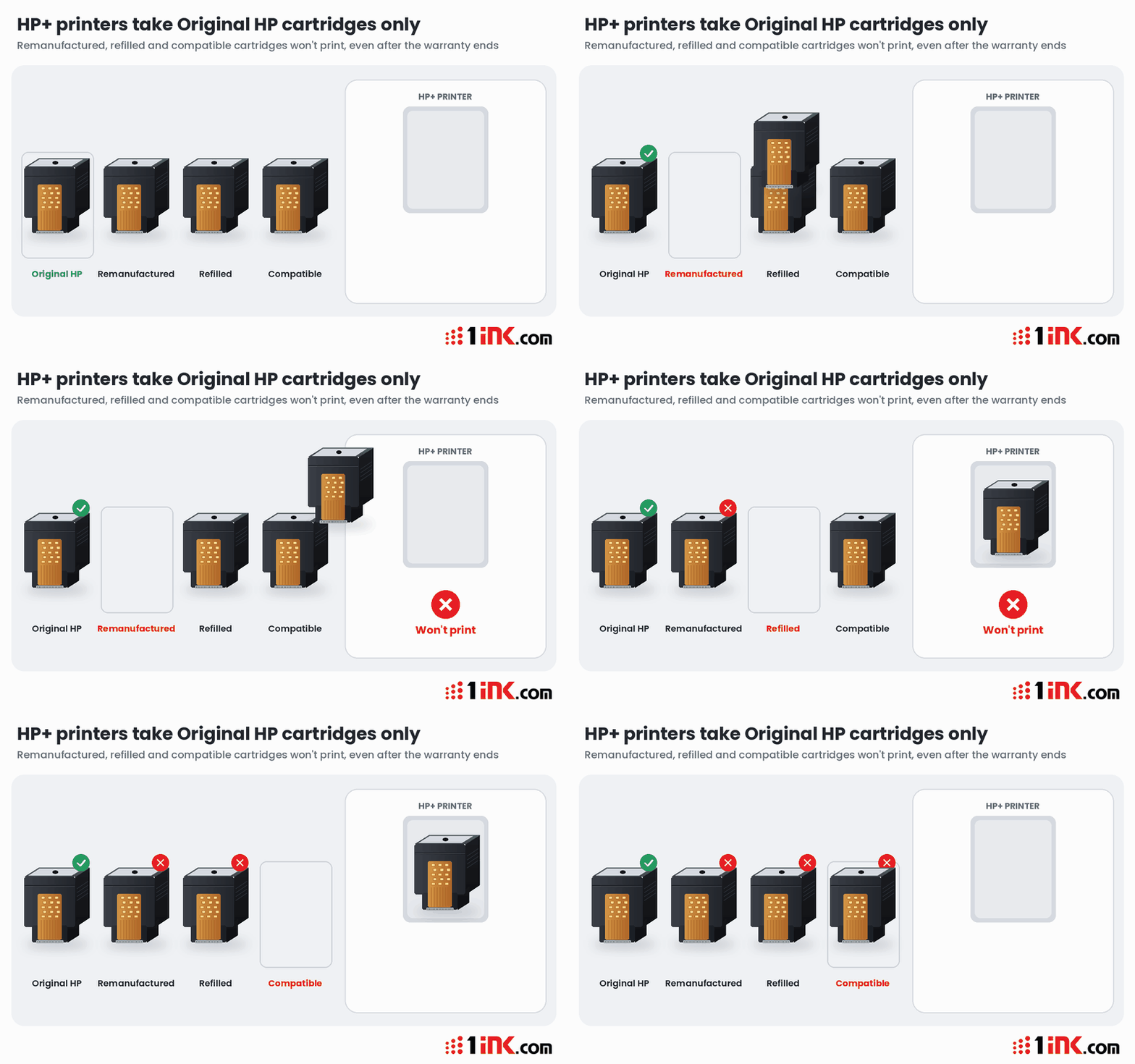
- Compatible, refilled and remanufactured cartridges won't work in an HP+ printer.
- It must stay online to work, according to HP.
- You can avoid it: buy a model without the "e," or skip HP+ when you set up an "e" printer.
What is HP+?
HP+ (or HP Plus) is a "cloud-based printing solution" built into select HP printers. HP says it isn't a subscription and costs nothing extra (HP+ FAQ).
HP offers these perks for turning it on:
- An extended HP warranty. Which? describes it as an extra year (Which?).
- A free trial of Instant Ink, HP's ink subscription. HP's US page lists 3 months. After that, a monthly fee applies unless you cancel.
- Cloud and security extras in the HP app.
What does HP+ require?
HP lists three requirements on its own pages (HP+ FAQ, HP Support):
- An HP account.
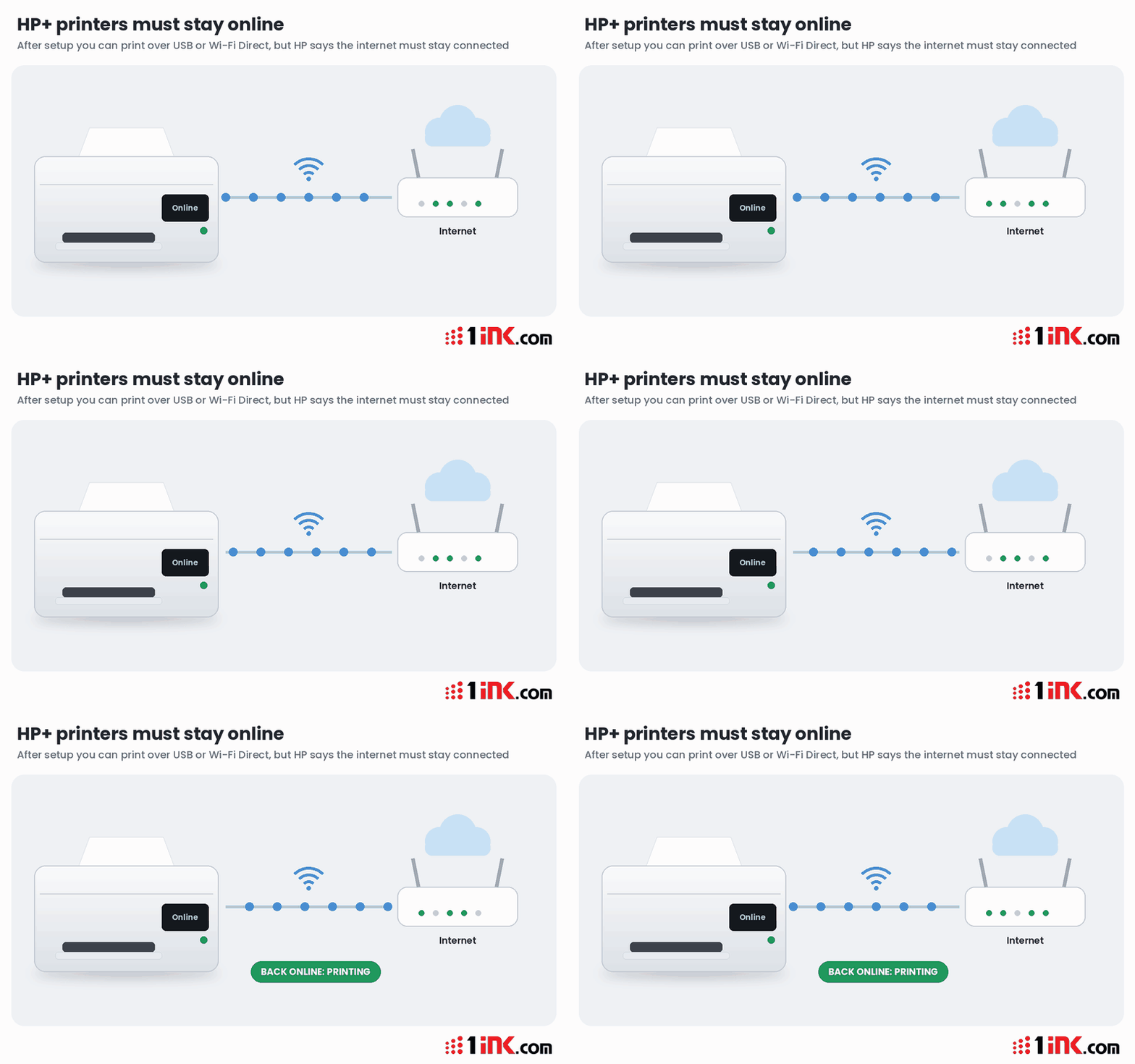
- An internet connection. You can print over USB after setup, but the printer "must also still be connected to the Internet" (HP user guide).
- Original HP ink or toner "for the lifetime of the printer."
HP defines Original HP cartridges as ones "manufactured and sold by HP in official HP packaging." Its user guide says that if non-Original HP or refilled cartridges are installed, the printer "will not be able to print."
Does HP+ keep blocking other ink after the warranty ends?
Yes. That's what HP's own wording says. HP ties the ink rule to the lifetime of the printer, not to the warranty. HP says HP+ printers need Original HP ink "even after expiration of the Instant Ink trial" (HP+ FAQ).
We found no HP document saying the rule ends with the warranty.
In September 2026, the owner of an out-of-warranty OfficeJet Pro 9025e asked HP's support forum to remove HP+. An HP employee replied that it "cannot be removed through a factory reset, firmware change, or any user-performed action" (HP Support Community).
Can HP+ be turned off?
Not by you, and HP publishes no way to do it. In 2023, a trade group said HP tech support told it HP+ can't be deactivated (The Verge, Ars Technica).
How is HP+ tied to Instant Ink?
They're separate, but HP offers them together. You don't have to keep Instant Ink for HP+ to work. HP says you can buy Original HP ink from any store instead (HP+ FAQ).
The catch is that cancelling Instant Ink doesn't cancel HP+. HP's forum staff say cancelling Instant Ink "does not remove or deactivate HP+." Your printer still needs Original HP cartridges. Learn more in our guide to HP Instant Ink.
What happens if your internet goes down?
HP says HP+ printers "must remain connected to the Internet in order to function" (HP user guide). The same guide says you "might be able to print a limited number of pages" while offline, but you need to reconnect to keep printing.
In the forum thread above, the printer showed "Setup Incomplete" and wouldn't print until it was signed in and online.
How can you tell if a printer has HP+?
- Look for an "e" at the end of the model number, like DeskJet 2755e. HP says supported models carry "a small letter e" (HP Support).
- Don't rely on the "e" alone. Which? warns that not every "e" model has HP+, so check the manual.
- Know the families: OfficeJet Pro 8000e and 9000e, DeskJet 2700e and 4100e, and ENVY 6000e and 6400e, per HP's FAQ.
- LaserJets no longer get it. In July 2024, HP said it would stop offering HP+ on LaserJet printers and dropped LaserJet "e" models that required it (The Verge). Existing ones keep working as sold (Tom's Hardware).
What are your options?
If you're shopping
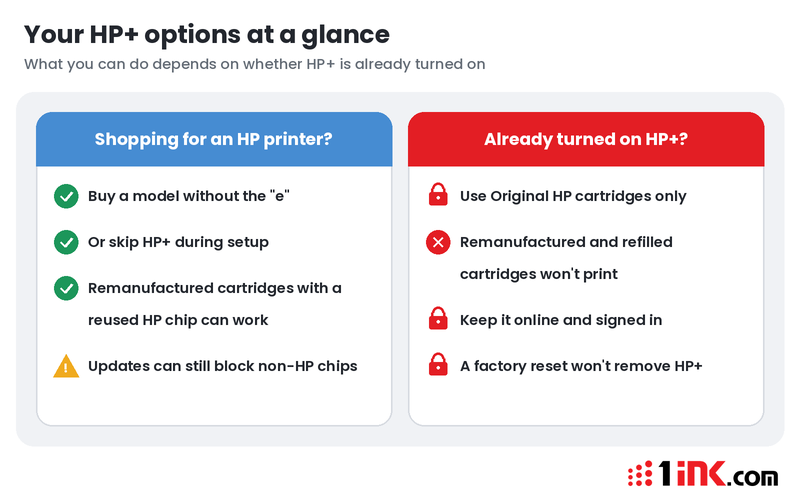
- Buy a model without the "e." HP says "functionally equivalent" printers without HP+ are available.
- Or skip HP+ at setup. On its inkjet "e" models, HP says you can skip HP+ activation. You lose the HP+ extras.
- Know the limits. Standard HP printers still use Dynamic Security, which blocks cartridges with non-HP chips. HP says cartridges that reuse an original HP chip, like many remanufactured ones, can work (HP+ FAQ).
- Think about the ink you'll buy for years. If you want the choice of remanufactured cartridges later, skipping HP+ keeps that door open.
If you already have HP+ turned on
- Use Original HP cartridges only. Remanufactured cartridges, including ours, won't work in an HP+ printer.
- Keep the printer online and signed in to your HP account.
- Factory resets and firmware changes won't remove HP+, according to HP.
Have a standard HP printer without HP+? Shop our remanufactured HP 67XL black or all HP ink and toner. To see how other printer makers handle third-party ink, read Which Printer Brands Block Compatible Cartridges? Before you buy, use our 12-point printer buying checklist.
Frequently asked questions
Does HP+ still block third-party ink after the warranty ends?
Yes. HP says HP+ requires Original HP ink for the lifetime of the printer, even after the Instant Ink trial ends. The rule is tied to the printer, not the warranty. Compatible, refilled and remanufactured cartridges still won't work once the warranty runs out.
Can I turn off HP+?
No. HP says HP+ can't be removed with a factory reset, a firmware change or any other user action. Once you activate it during setup, it stays on for the life of the printer. If you aren't sure you want it, skip HP+ at setup.
How do I know if a printer has HP+?
Look for a small "e" at the end of the model number, such as DeskJet 2755e. Then check the manual or the product page, because not every "e" model has HP+. The "e" means the printer can run HP+, so ask the seller if you aren't sure.
Is HP+ a subscription, and does it cost extra?
No. HP says HP+ is not a subscription. It's a cloud-based feature built into select HP printers, with no cost beyond the printer itself. Your ongoing cost is ink: an HP+ printer needs Original HP cartridges for life, whether you buy them in a store or through Instant Ink.
Can an HP+ printer print without the internet?
Only for a short time. HP says HP+ printers must stay connected to the internet over Wi-Fi or Ethernet to work. After setup you can print over USB or Wi-Fi Direct, but the printer must still be online. If it drops offline, you may print a limited number of pages before you must reconnect.
Sources
- HP: Frequently Asked Questions about HP+ Printers
- HP Support: HP+ printer requirements
- HP OfficeJet Pro 9010e series user guide (Requirements for HP+ printers)
- HP Support Community: Request to deactivate HP+ on OfficeJet Pro 9025e
- Which?: Best HP printers
- The Verge: HP+ printers can't be cancelled, trade group says (2023)
- Ars Technica: Trade group asks to revoke HP printers' EPEAT ecolabels (2023)
- The Verge: HP drops HP+ from LaserJet printers (2024)
- Tom's Hardware: HP discontinues online-only LaserJet printers (2024)